Leviton 4-Button Scene Controller VRCS4
Leviton VRCS4-M0Z Vizia RF + 4-Button Remote Scene
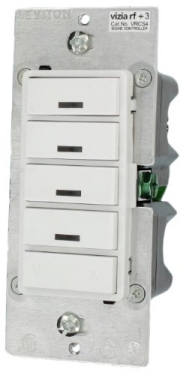
Operation
- Press – Scene is activated, Scene LED turns ON. LED will blink until Scene is reached.
- Press – Turns all lights in scene OFF, Scene LED turns OFF.
- Press left side of Dim/Bright button – Lights in last activated Scene will dim.
- Press right side of Dim/Bright button – Lights in last activated Scene will brighten.
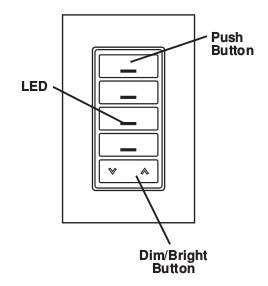
Inclusion/Exclusion to/from a network
- To include/exclude device to/from zwave network, device must be in programming mode.
- To put device into programming mode, press and hold buttons 1 and 3 (refer to figure). Wait 5 seconds until the LED turns Amber. Release the buttons and the LED will blink Amber.
- Notes: For Venus/Titan, after device go into programming mode, wait for 3 seconds, press button 1 & 3 once to exclude and once again to include.
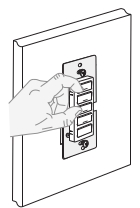
Factory reset
On the 4-Scene controller (refer to figure), press and hold buttons 1 and 3. Wait approximately 5 seconds until the LED turns Amber and then turns solid Red. Release the buttons. The 4-Scene controller is now reset. Once the controller is reset, it will be necessary to Re-Include it to a network before it can be used.
Link in Amazon
Configuration description
There is no configuration in this device.