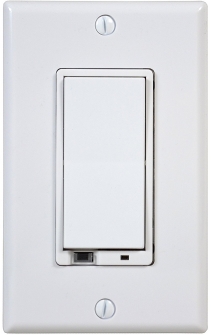
Linear wall-mount dimmer
Linear WD500Z-1 Z-Wave 500-Watt Wall-Mount Dimmer Switch
Operation
- Turn ON, OFF, DIM or BRIGHTEN the load attached.
- Include or exclude the module from the Z-Wave network.
- Configure to Control Shades or Window Coverings via Z-Wave network.
- Control other Z-Wave enabled devices.
- Tapping top of the switch turns the load attached ON.
- Tapping bottom of the switch turns the load attached OFF.
- Pressing and holding the top of the switch will brighten the load attached, and pressing and holding the bottom of the switch will dim the load. When OFF, pressing and holding the bottom of the switch will cause the load will go to the minimum dim level.
Specification
- Power 120 VAC, 60 Hz
- Maximum Load 500 Watts for control of permanently installed incandescent lamp fi xtures only (not for control of receptacles)
- Signal (Frequency) 908.42 MHz
- Range Up to 100 feet line of sight between the Controller and /or the closest Z-Wave Receiver Module
Include/Exclude to/from a network
- Put controller to Inclusion/Exclusion mode
- Push top or bottom paddle once to reset. Device will be included/excluded to/from zwave network.
Configuration description
- Ignore start level when transmitting dim command
- Parameter: 1 (0x01)
- Size: 1 byte
- Value:
- 0 = start dim from current level
- 1 = ignore start level
- Default: 1
- LED light indication
- Parameter: 3 (0x03)
- Size: 1 byte
- Value:
- 0 = LED on when light on
- 1 = LED on when light off
- Default: 0
- Invert switch
- Parameter: 4 (0x04)
- Size: 1 byte
- Value:
- 0 = ON at the top and OFF at the bottom
- 1 = ON at the bottom and OFF at the top
- Default: 0
- Enable shade control Group 2
- Parameter: 14 (0x0E)
- Size: 1 byte
- Value:
- 0 = disable this feature
1 = enable this feature
- Default: 0
- Enable shade control Group 3
- Parameter: 15 (0x0F)
- Size: 1 byte
- Value:
- 0 = disable this feature
1 = enable this feature
- Default: 0
- LED transmission indication
- Parameter: 19 (0x13)
- Size: 1 byte
- Value:
- 0 = no LED flicker
1 = LED flicker in transmitting time
2 = LED flicker in 1 second
- Default: 2