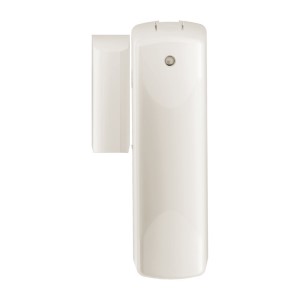
Schlage Z-Wave RS100HC Door/Window Sensor
Product Description
- Simple installation and set up–just stick on
- Incorporate into automations so the lights turn on where there is activity
- Check in to see if the doors and windows are closed at night
- Chose white or brown covers included in each package
Working with PhD
- Be monitored by PhD via the Zinno app available on iOS&Android
- The Speaker on Phd will annouce when receive the alert from the Schlage Door/Window Sensor
- Associate Schlage Door/Window Sensor with other smart devices in Zinno App, and set them turn on or off if the sensor detects doors or windows have been open
Add Schlage Door/Window Sensor to PhD’s network
- On Zinno App, go to Menu → Devices → Tap “+” button to put PhD to inclusion mode
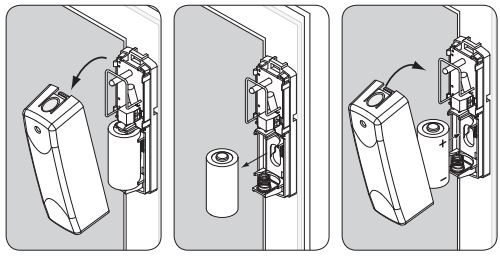
- Remove battery then re-install battery to reset. Device will be included/excluded to/from zwave network.
Specification
- Model number: RS100HC
- Power source: Battery
- Protocol: Z-Wave
- Battery type: CR123A
- Dimension: 3.5 x 1.75 x 1 inches
- Weight: 0.2 lbs
- Color: White