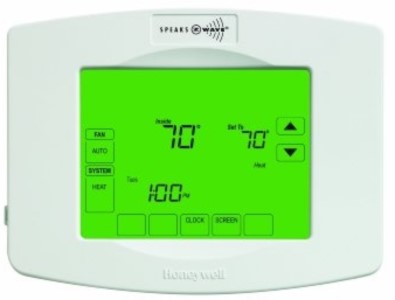
Honeywell Z-Wave TH8320ZW1000 Thermostat
Product Description
- One-touch temp control overrides program schedule at any time.
- Precise comfort control keeps temperature within 1°F of the level you set.
- Change/check reminders let you know when to service or replace filters and other critical components.
- Large touchscreen display with backlight is easy to read—even in the dark.
Working with PhD
- Control your Honeywell Thermostat and other connected devices with the Zinno app available on iOS&Android
- With PhD, you could automatically turn Honeywell Thermostat on or off in many scenarios, such as door opens/closes, human appearance detected, and much more
- Also, you can automate the Honeywell Thermostat with PhD Scence routes, like Good Morning, Goodnight…
- Control Honeywell Thermostat with voice commands using PhD and the Google Assistant or Amazon Alexa
Add Honeywell Thermostat to PhD’s network
- On the Zinno app, press Left Menu Bar, then select “Devices”
- Select “+” button to put the PhD in inclusion mode, keep your thermostat close to PhD within 10 feet (3 meters)
- Enter System Setup nn the thermostat
- Press SYSTEM
- Press and hold blank center key until the display changes (approximately 5 seconds)
- Change the setting:
- Function: RF10
- Setting: 0
- PhD will announce “Found Device”, and Zinno app will display the dialog box, asking user to interact with device one more time
- Continue with the setting Function RF10, but change setting to 1
- If adding the device successfully, PhD will announce “Adding Honeywell Thermostat success” and on Zinno app will display the dialog boxes that indicate user has added device successfully

Specification
- Model number: ZCOMBO
- Power source: 24VAC from HVAC System
- Protocol: Z-Wave
- Dimension: 1.25 x 6 x 4.5 inches
- Weight: 1.5 pounds
- Color: White