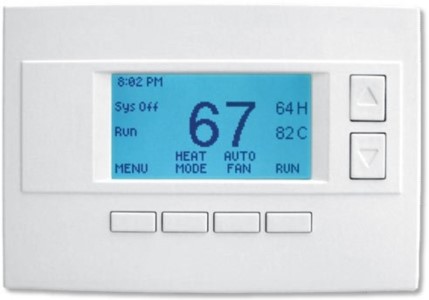
RCS Z-Wave TZ45 Thermostat
Product Description
- All in One Design.
- Z-Wave Compatible.
- Standard or Heat Pump HVAC Systems.
- Programmable, 4 x 7 day schedule.
- 128x64 Backlit Graphical Display
Working with PhD
- Control your RCS Thermostat and other connected devices with the Zinno app available on iOS&Android
- With PhD, you could automatically turn RCS Thermostat on or off in many scenarios, such as door opens/closes, human appearance detected, and much more
- Also, you can automate the RCS Thermostat with PhD Scence routes, like Good Morning, Goodnight…
- Control RCS Thermostat with voice commands using PhD and the Google Assistant or Amazon Alexa
Add RCS Thermostat to PhD’s network
- On the Zinno app, press Left Menu Bar, then select “Devices”
- Select “+” button to put the PhD in inclusion mode, keep your thermostat close to PhD within 10 feet (3 meters)
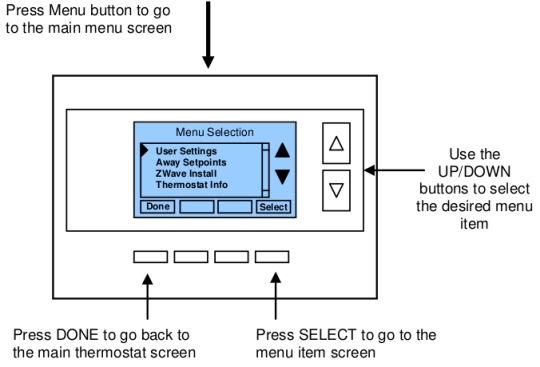
- In the Thermostat’s Main Menu, scroll down to the ZWave Install item then press the Select button. After that, the Thermostat’s sreen will display “Add Thermostat to Z-Wave network”, press YES button
- PhD will announce “Found Device”, and Zinno app will display the dialog box, asking user to interact with device one more time
- Repeat step #3, PhD will announce “The device is being added”
- If adding the device successfully, PhD will announce “Adding RCS Thermostat success” and on Zinno app will display the dialog boxes that indicate user has added device successfully
Specification
- Model number: TZ45
- Power source: 24VAC from HVAC System
- Protocol: Z-Wave
- Dimension: 5 x 3 x 3/4 inches
- Weight: 0.65 pounds
- Color: White